Be wary of the unknown
Always stop and think before opening attachments, clicking hyperlinks, or replying to suspicious emails. MLC will never ask for your password or provide a link to a login page for your account.
What are you looking for?

Client Services: 1800 517 124

Protecting your super and investments secure online
Your super and investment savings represent years of hard work for a secure future. Unfortunately, they can be a prime target for scammers, causing significant financial loss and emotional distress.
Financial scams are on the rise and becoming more sophisticated, making them harder to detect. The following information will help you recognise common types of super and investment scams, how to identify them, and how to protect yourself and your loved ones.
Click here to learn the best steps to take immediately.
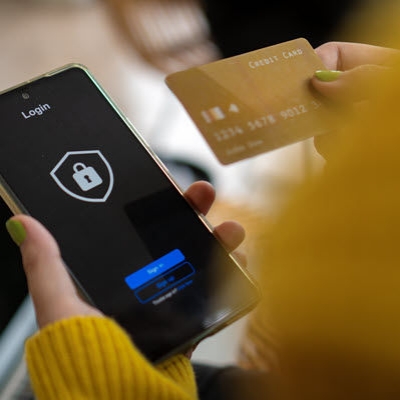
Protect yourself from scams
Remember, will never ask for:
Impersonation scams mimic authorities like police, government, banks and well-known businesses to gain your trust.
For example, we have seen scammers pretending to be from Insignia Financial (MLC’s parent company) use cold calls to offer high-return investment accounts, or term deposits with “special one-time rates”. They may direct victims to legitimate websites to appear credible. These scams often feature genuine Insignia Financial logos/images to deceive victims, but upon closer inspection reveal discrepancies.
For instance:
Addresses used are not actual Insignia Financial locations.
Website/domain name have variations such as additional symbols like ‘-’ or additional letters. Examples include:
Scammers may email details about these investments. Please note that MLC (and Insignia Financial) employees do not make unsolicited (cold) calls to promote products or business offerings.
Impersonation scams constantly evolve and exploit trusted brands to deceive victims. Visit Scamwatch for more information on impersonation scams.

These scams involve criminals stealing your personal information (name, date of birth and Tax File Number). With this data, they can open bank accounts, credit cards and other financial accounts in your name, leaving you with the debt and a damaged credit score.
We recommend that you:
If you suspect that your identity has been stolen, contact your bank or financial institution immediately and report the fraud to the Australian Cyber Security Centre

What is Credential Stuffing and how can you protect yourself against it?
Cyber-attacks are evolving and becoming more sophisticated every day. One of the latest attacks allows hackers to access members’ accounts using their stolen passwords, via a method known as Credential Stuffing.
Credential stuffing is a type of cyber-attack whereby cyber criminals collect stolen usernames and passwords available on the dark web from previous data breaches, and then attempt to use those credentials on other websites or services. If an affected user uses the same password across multiple accounts, a successful credential stuffing attack could compromise all of their accounts.
To protect against this type of attack, it is important to follow the cyber security advice as given by the Australian Government with 3 easy steps:
Please refer to the Australian Government’s best cyber practices and protect yourself online at cyber.gov.au
Impersonation scams mimic authorities like police, government, banks and well-known businesses to gain your trust.
For example, we have seen scammers pretending to be from Insignia Financial (MLC’s parent company) use cold calls to offer high-return investment accounts, or term deposits with “special one-time rates”. They may direct victims to legitimate websites to appear credible. These scams often feature genuine Insignia Financial logos/images to deceive victims, but upon closer inspection reveal discrepancies.
For instance:
Addresses used are not actual Insignia Financial locations.
Website/domain name have variations such as additional symbols like ‘-’ or additional letters. Examples include:
Scammers may email details about these investments. Please note that MLC (and Insignia Financial) employees do not make unsolicited (cold) calls to promote products or business offerings.
Impersonation scams constantly evolve and exploit trusted brands to deceive victims. Visit Scamwatch for more information on impersonation scams.
These scams involve criminals stealing your personal information (name, date of birth and Tax File Number). With this data, they can open bank accounts, credit cards and other financial accounts in your name, leaving you with the debt and a damaged credit score.
We recommend that you:
If you suspect that your identity has been stolen, contact your bank or financial institution immediately and report the fraud to the Australian Cyber Security Centre
What is Credential Stuffing and how can you protect yourself against it?
Cyber-attacks are evolving and becoming more sophisticated every day. One of the latest attacks allows hackers to access members’ accounts using their stolen passwords, via a method known as Credential Stuffing.
Credential stuffing is a type of cyber-attack whereby cyber criminals collect stolen usernames and passwords available on the dark web from previous data breaches, and then attempt to use those credentials on other websites or services. If an affected user uses the same password across multiple accounts, a successful credential stuffing attack could compromise all of their accounts.
To protect against this type of attack, it is important to follow the cyber security advice as given by the Australian Government with 3 easy steps:
Please refer to the Australian Government’s best cyber practices and protect yourself online at cyber.gov.au
Stop, Protect, Report
Given the variety of scams out there, following these four steps can help prevent you falling victim to a scam.
If you receive a suspicious call, email or text, pause and assess. Genuine organisations like Insignia Financial Group who own Expand will never pressure you to ‘act immediately’ or ask you to disclose your password via email or over the phone.
Malware can target you through:
To spot malware, watch out for:
Cyber attackers piece together details from various sources to exploit and create accounts in your name. Whether it’s personal or work, staying vigilant is crucial. When in doubt, reject contact, delete suspicious messages, and avoid opening unknown links.
Be wary of the unknown
Always stop and think before opening attachments, clicking hyperlinks, or replying to suspicious emails. MLC will never ask for your password or provide a link to a login page for your account.
Never send personal information via email
Use secure document-sharing software like DocuSign instead.
Avoid using public Wi-Fi
It’s vulnerable to cyber attacks.
Avoid sharing your superannuation information
Never share information about your superannuation with someone who contacts you, even if they seem to be from a trusted organisation. Always verify their identity by calling the organisation directly.
Thoroughly research investment opportunities
Be wary of high-return, low-risk investment opportunities – if it sounds too good to be true, it probably is.
Check against the ASIC website
If you’re speaking with a financial adviser, verify their registration on the ASIC website. Anyone offering advice about financial products must hold an Australian Financial Services licence from ASIC.
If you receive a suspicious email, do not click on any links or attachments or provide any information.
If you have responded to a phishing email, contact us immediately on 1800 517 124 (or +61 3 8614 4967 from outside Australia) between 8am and 6pm AEST/AEDT, Monday to Friday.
You can report suspicious Expand emails by forwarding them to clientfirst@myexpand.com.au.
We investigate every email reported. Where possible, please send the suspicious email as an attachment on a new email.
If you receive a suspicious email not related to Expand, you can report it to the Australian Cyber Security Centre (ACSC).
If you receive a suspicious call, email or text, pause and assess. Genuine organisations like Insignia Financial Group who own Expand will never pressure you to ‘act immediately’ or ask you to disclose your password via email or over the phone.
Malware can target you through:
To spot malware, watch out for:
Cyber attackers piece together details from various sources to exploit and create accounts in your name. Whether it’s personal or work, staying vigilant is crucial. When in doubt, reject contact, delete suspicious messages, and avoid opening unknown links.
Be wary of the unknown
Always stop and think before opening attachments, clicking hyperlinks, or replying to suspicious emails. MLC will never ask for your password or provide a link to a login page for your account.
Never send personal information via email
Use secure document-sharing software like DocuSign instead.
Avoid using public Wi-Fi
It’s vulnerable to cyber attacks.
Avoid sharing your superannuation information
Never share information about your superannuation with someone who contacts you, even if they seem to be from a trusted organisation. Always verify their identity by calling the organisation directly.
Thoroughly research investment opportunities
Be wary of high-return, low-risk investment opportunities – if it sounds too good to be true, it probably is.
Check against the ASIC website
If you’re speaking with a financial adviser, verify their registration on the ASIC website. Anyone offering advice about financial products must hold an Australian Financial Services licence from ASIC.
If you receive a suspicious email, do not click on any links or attachments or provide any information.
If you have responded to a phishing email, contact us immediately on 1800 517 124 (or +61 3 8614 4967 from outside Australia) between 8am and 6pm AEST/AEDT, Monday to Friday.
You can report suspicious Expand emails by forwarding them to clientfirst@myexpand.com.au.
We investigate every email reported. Where possible, please send the suspicious email as an attachment on a new email.
If you receive a suspicious email not related to Expand, you can report it to the Australian Cyber Security Centre (ACSC).
More information and resources

Responsible disclosure
Here’s some useful information about how MLC and Insignia Financial protects your online security.

MoneySmart website
Spot the warning signs of financial scams with MoneySmart’s in-depth coverage of different scam types.

Government websites
The Federal Government also has several useful resources with information on how to protect yourself.
Not all frauds and scams are conducted online
Find out more
THINK YOU MAY BE FACING A SCAM?
If you have responded to a phishing email, contact us immediately on 1800 517 124 (or +61 3 8614 4967 from outside Australia) between 8am and 8pm AEST/AEDT, Monday to Friday. You can report suspicious Expand emails by forwarding them to clientservices@myexpand.com.au.
